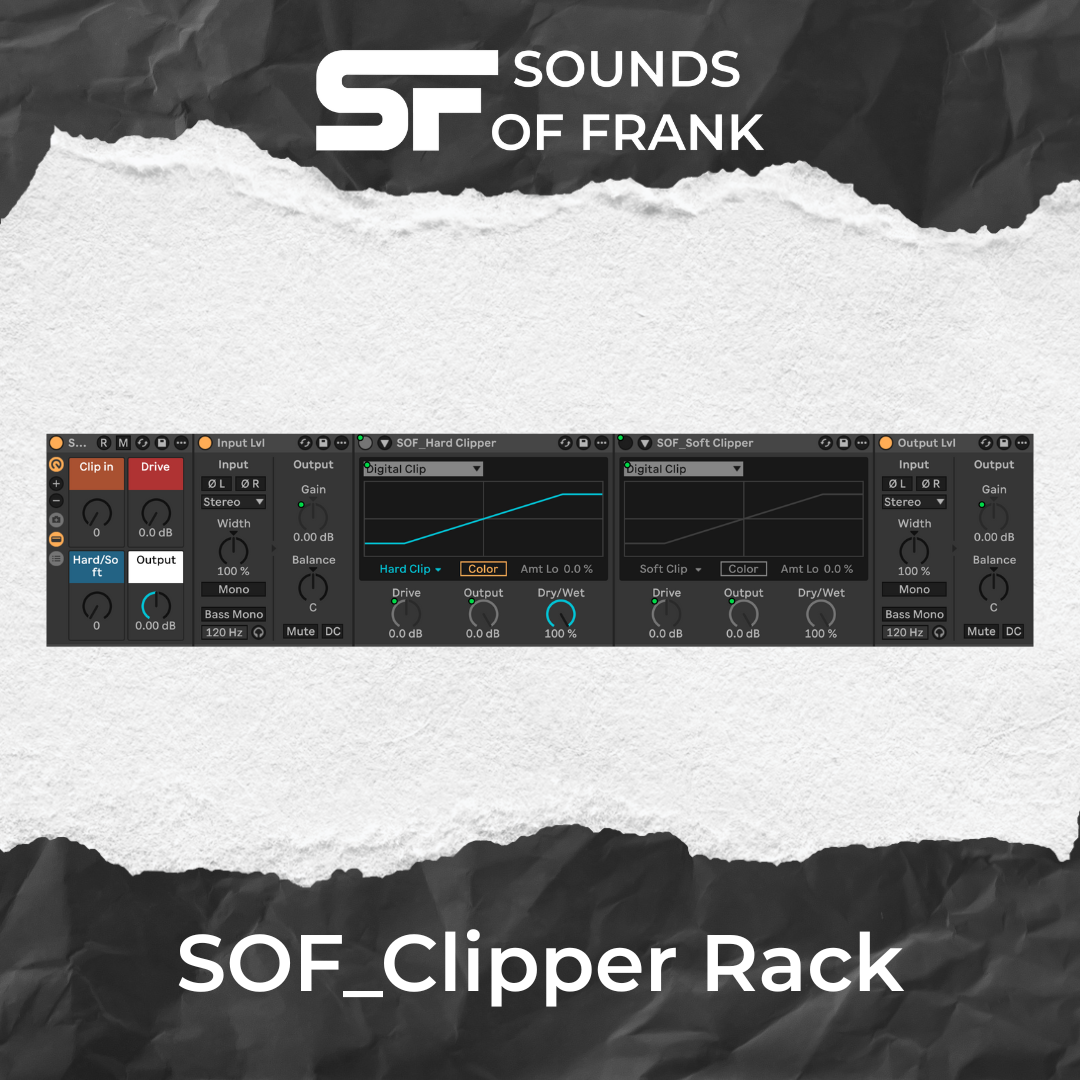
Free Ableton Clipper Rack
Free Ableton Clipper Rack
No VAT charged
Couldn't load pickup availability
Free Ableton Clipper Rack — Hard / Soft Clip
Get professional loudness — fast and clean. This free Ableton FX Rack for Live 12.3+ combines Digital & Analog Hard / Soft Clipping with a streamlined macro workflow: louder mixes without crushed transients or unwanted distortion.
🎛 Macro Overview

-
Clip In — clean pre-gain into the clipper.
Best control over clipping threshold & transient shaping. -
Drive — adds extra clipping character & punch.
Use with care — distortion increases faster with higher Drive. -
Hard/Soft — switches the clipping style:
0–63 → Hard Clip (punchy & aggressive)
64–127 → Soft Clip (smooth & musical) - Output — post-clip trim for perfect level into the next plugin or limiter.
Clipping behavior explained:
✔ Clip In = clean loudness into the clipper (best for punchy, controlled peaks)
✔ Drive = extra color, harmonic density & crunch (distorts earlier)
✔ Auto-Gain Assist — Clipper Output follows Clip In automatically for level-matched clipping while you shape the sound.
🔵 Clipping Indicator

When the blue LED next to the clipper lights up, clipping is happening.
Use it as a visual guide to dial in the right amount of peak control.
🔀 Clipping Modes

Two ready-to-use Macro Variations are built in:
- Digital Clip — precise & modern transient control
- Analog Clip — smoother curve with a more musical tone
The Analog Clip module is tucked away behind the macro view — clean UI for beginners, advanced users can expand it anytime.
💡 Quick Start
- Load on drums, bass, groups — or even the full mix bus.
- Play the loudest part of your track and raise Clip In until the 🔵 LED starts flashing on the loudest peaks — then adjust to taste for controlled clipping without unwanted distortion.
- Use Drive only if you want extra crunch, density or color.
- Try Hard/Soft to match the vibe.
- Adjust final loudness with Output.
🧠 Pro Tip
Set loudness with Clip In first — then add Drive only if you want more color or crunch.
If the sound begins to break up too much, just pull Clip In slightly back — clean loudness restored.
- Low Drive + higher Clip In = clean, controlled clipping with shorter peaks & more headroom
- More Drive = stronger coloration & crunch
If you want to nerd out, put an oscilloscope after the rack — you’ll literally see the peaks getting shorter and the headroom increase.
📌 Where it shines
- Drum bus & bass — punchy, tight low-end
- Groups & mix bus — peak control before compression/limiting
- Electronic music of all kinds — Tech House, Minimal, EDM, etc.
📥 Requirements
- Ableton Live 12.3+ — Standard or Suite
🔧 Installation
- Download the .adg file
- Double-click to open in Live
- Hit the little Save icon to store it in your User Library

🔓 License
Free for your music — no signup, no restrictions.